
There was a thread on r/homeassistant asking whether there’s any way to get the UI closer to the more advanced, power-user feel it used to have. The comments had a lot of suggestions. Two of them are the ones I actually use, and both take about ten seconds.
Turn on “Display entity IDs in picker”
This is the one I’d flip on first. Go to your profile (click your name at the bottom of the sidebar), open General, and scroll down to User preferences. Turn on Display entity IDs in picker.
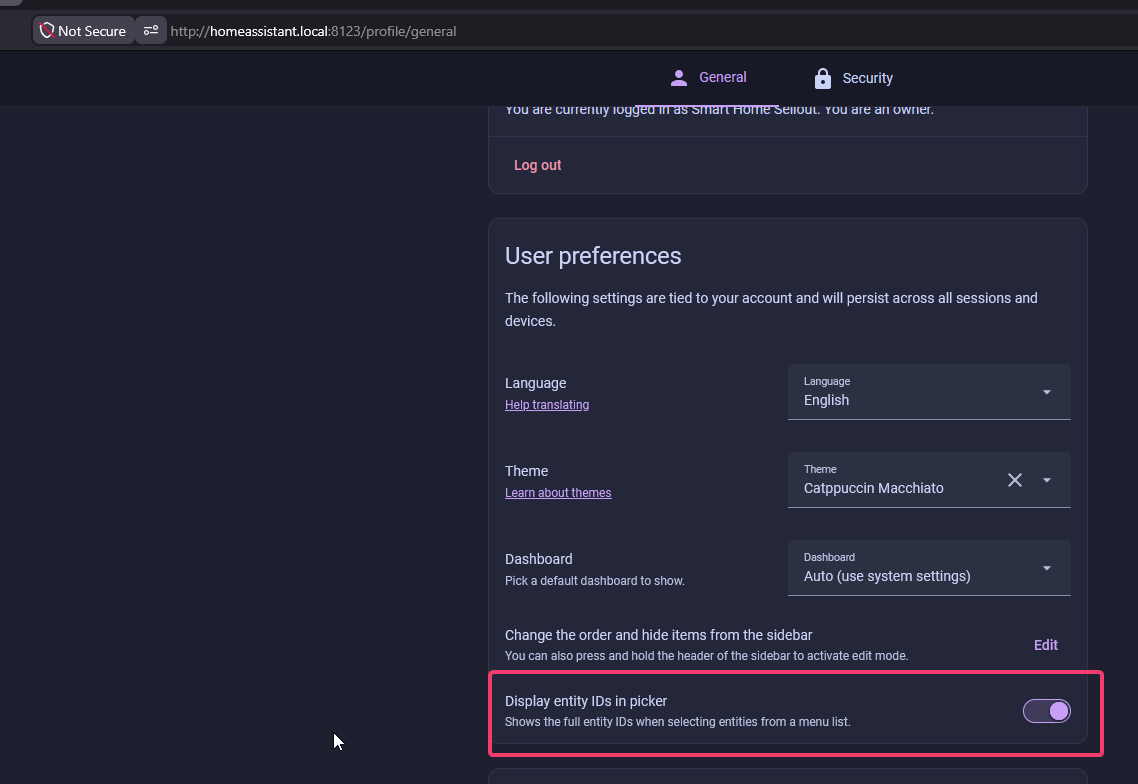
By default, every entity picker in Home Assistant shows you friendly names. That’s fine until you’re wiring up an automation, a script, or a dashboard card and you actually need the entity ID, because the entity ID is what you reference in templates and YAML. With this on, the picker shows the full ID right alongside the name, so you stop guessing whether you grabbed light.living_room_lamp or the one next to it. For anyone who lives in automations, it’s a no-brainer.
Clear the entities out of AI Tasks
If you don’t use the generative AI suggestions, the little sparkle buttons that show up around the UI are just noise. You can make them go away by removing the entities that power them.
In Settings, open the AI tasks page (it lives at /config/ai-tasks and is titled AI suggestions). Set both Data generation tasks and Image generation tasks back to Select an entity, clearing whatever is in them, and hit Save.
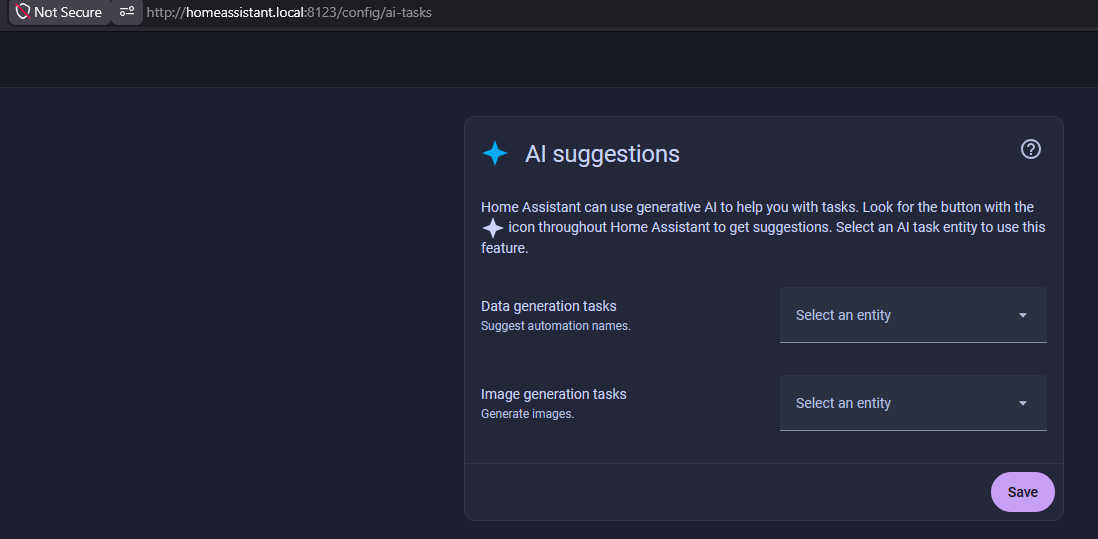
With no entity assigned, the AI suggestion buttons stop appearing throughout Home Assistant. If you decide you want them later, you just pick an entity here again.
That’s it
Neither of these is a big deal on its own, but together they take a few seconds and make the UI feel like it’s built for someone who knows what they’re doing. If you’ve got your own go-to tweaks from that thread, leave a comment and I’ll try them.